
On shift, documentation is not what is missing — timing is. This article leaves a one-screen format so cash, kitchen, and floor know what to do, who decides, and what evidence remains.
What makes a SOP usable on shift
- Clear trigger: e.g. cash difference above tolerance at close.
- One owner per shift: cash, kitchen, floor.
- Minimum steps in order, not a 10-page PDF.
- Required evidence: photo, reading, count, record.
- Exception and permission: who can decide and how it is recorded.
Shift example — same format, every day
| Task | Owner | Evidence |
|---|---|---|
| Opening and cash count | Morning cash manager | Amount + count photo on record |
| Cooler temperature check | Kitchen | Reading + time on record |
| Production waste | Kitchen | Quantity + reason on record |
| Close and cash difference | Closing manager | Difference + decision on record |
Same format every day so the next shift starts with context.
How it works
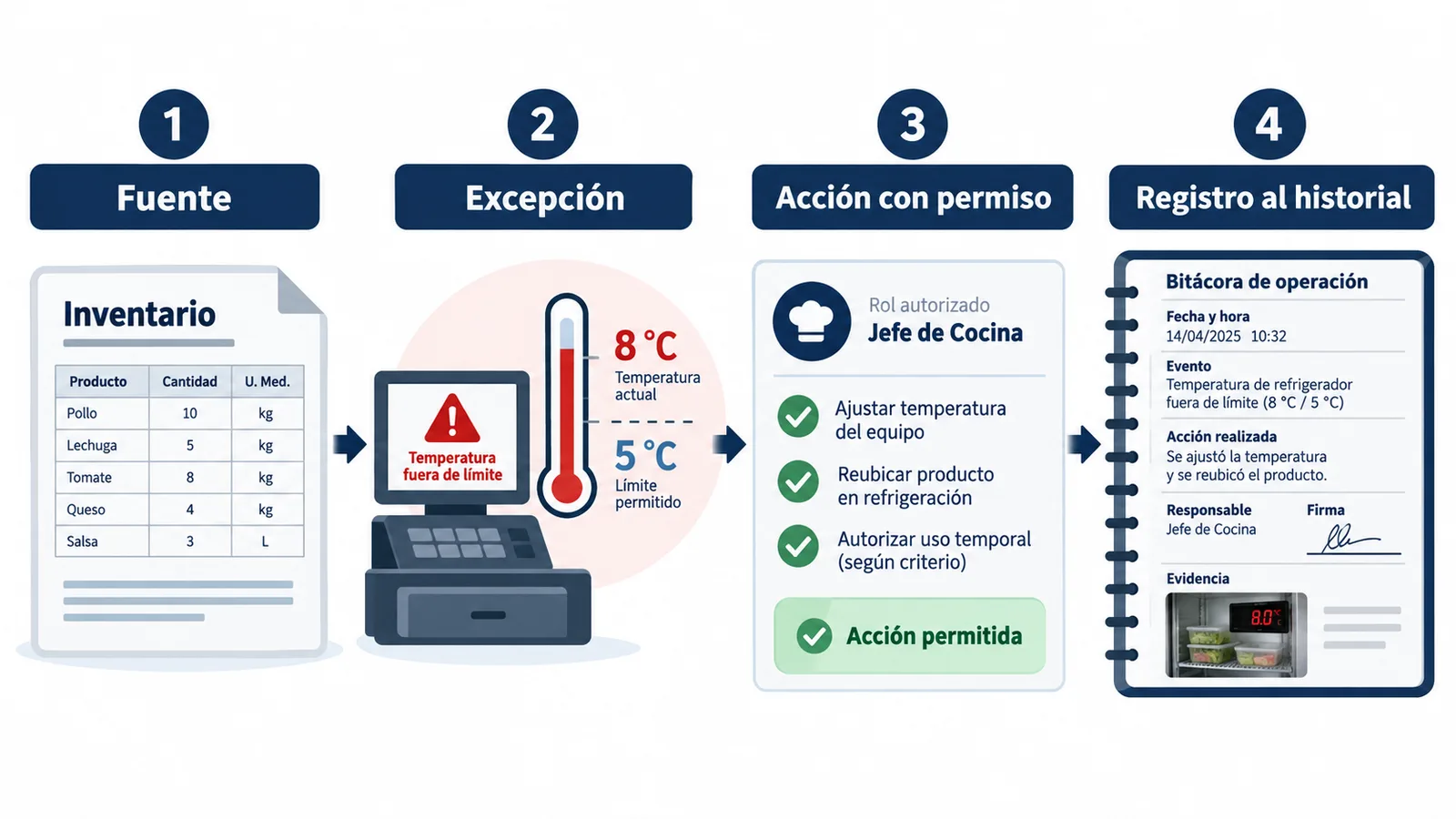
Wobistro preserves the source, identifies the exception, prepares an action within permissions, and records the responsible person's decision. Every result returns to the history so the next shift starts with context.
- 1. Source kept — the original data is not rewritten.
- 2. Exception identified — cash, inventory, waste, temperature.
- 3. Action within permissions — each person sees only what they can decide.
- 4. Record with an owner — decision + evidence into history.
Common failures this format avoids
- Instruction versioned but never shown at execution time.
- Task with no shift owner.
- Close with no comparable evidence.
- Exception resolved over chat with no record.
To start, see Templates for starting with clean data. Full method in Procedures that end in evidence. Terms in Hospitality operations glossary.
Reviewed
Source: Wobistro · 2026-08-12